Dawa Log in
Built forPharmacies & drug shops
Works onPhone, tablet & PC
PaymentsCash · MoMo · Card
Get started

Your pharmacy, in control.

Track every batch and expiry date, sell faster at the counter and see your profit, from your phone or computer.

Sell first-expiry, first-out

Every sale takes stock from the batch that expires soonest, so less goes to waste and nothing expired reaches a patient.

FEFOAutomatic on every sale
Example

Amoxicillin 500mg

Batch AMX-2411 · expires in 40 days

Flagged on your expiry list so you can sell it first, discount it or return it to the supplier in time.

1,140 capsReorder at 800Rx only2 batches
Sell firstDiscountReturn
Everything a busy counter needs

Made for pharmacies and drug shops that are tired of stock books, surprise stock-outs and expired boxes at the back of the shelf.

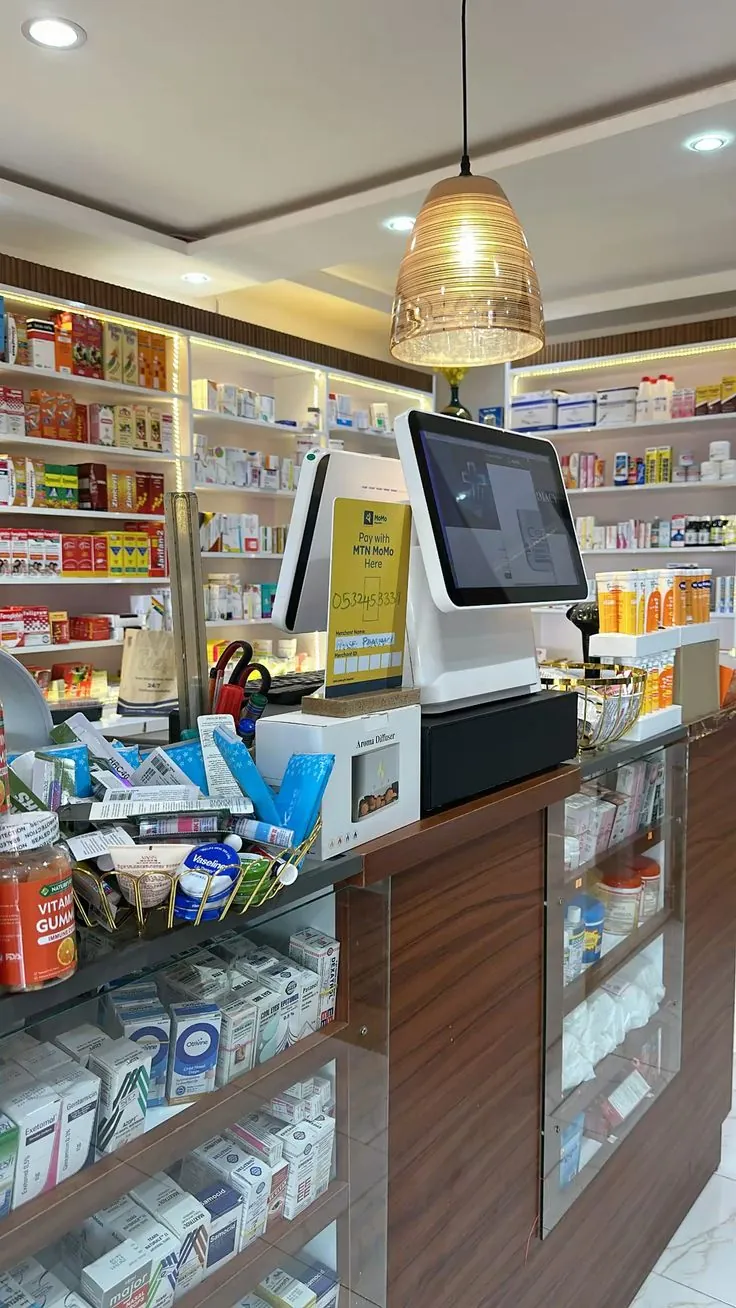
A pharmacy counter with a till screen and a Mobile Money sign
At the counterCash, Mobile Money, card and insurance, on any screen you already have.

A till that keeps up

Scan a barcode or search by name. Cash, Mobile Money, card and insurance, with a printed receipt.

Never sell expired stock

Every delivery is tracked by batch and expiry date. The till sells the earliest-expiring stock first.

Know what is on the shelf

Live stock per product, reorder alerts and suggested order quantities based on what actually sells.

A login for every staff member

Owners, pharmacists and cashiers each have their own access, so every sale is accounted for.

Your brand, not ours

Your logo, colours and details on every screen, receipt and staff email.

Profit you can see

Daily sales, top sellers and gross profit, from your phone, wherever you are.

For every kind of shop

From a one-counter drug shop to a pharmacy with several staff, set it up the way you work and brand it as your own.

Community pharmaciesPrescriptions, Rx-only reminders and insurance sales.
Drug shopsSimple daily selling and stock control for a busy counter.
Clinic dispensariesTrack every batch you dispense, down to the expiry date.
Growing chainsEach branch with its own staff logins and reports.

Up and running today

No installation. It works in the browser you already have.

  1. Sign upEnter your business name and contact. Your data is kept separate from every other pharmacy.
  2. Add your stockType products in or upload your price list as a spreadsheet, with batches and expiry dates.
  3. Brand it & sellAdd your logo and colours, invite your staff, and open the till.

Ready when you are.

Set up your pharmacy in a few minutes.

Get started